Showing posts with label html. Show all posts

Sunday, January 25, 2009

Using Image_Graph neatly

Here are my two best tips around using Image_Graph for projects. They aren't necessarily right, but have worked fantastically for me.

Use it like Google Chart API (on demand)


Build a simple page which takes a number of arguments via GET variables, and serves up an image. You can then use simple commands to render whatever you like.

# Rendering code:
require_once 'Net/URL.php';
function make_graph_url($data) {

$url = new Net_URL('graph.php');
$url->gt;querystring['data'] = $data;
$url->gt;querystring['type'] = 'pie';
return $url->gt;getURL(); // "graph.php?type=pie&data[Cats]=1&data[Fish]=2";
}

# HTML / Presentation bit
<img src="%3C?php%20print%20make_graph_url%28$data%29;%20?%3E" alt="Graph of Cats and Fish" />

#Graph.php
require_once 'Image/Graph.php';

$graph = new Image_Graph();
// read in $_GET and construct your graph

$graph->gt;done();


Its worth thinking about maintaining a pretty similar approach to google's API, so that you can swap one for the other almost trivially.

Pre-rendering


Say you have a set of reports you must run. The amount of data is huge, so you really don't want to try and do things on the fly. You have to update the data periodically - ie, once a week or month.

Steps here:
1. Denormalize in the database - precalculate answers and render them into tables. It will save you loads of time.
2. When you have the data you need, pre-render the graphs and save them to disk. Do it with an easy naming scheme.

Now when someone hits your pages to look at information, you've got everything already there - its a matter of wiring it together.


These two things are pretty obvious and self explanatory, but worth keeping in mind. The last thing you want to do is build a page which assembles data, then realize Image_Graph renders in a different stream (ie, not inline), and resort to copy and paste coding.


Reblog this post [with Zemanta]

Wednesday, July 04, 2007

Making Useful PHPUnit results

So you have about eleven billion test results, and you need a pretty way to quickly see failures.
What you need is a continous integration environment, and if you don't want to have to stick things into a database, I have the answer for you.

PHPUnit 3.0.6 provides (the first working) version of test-results as JSON.
Basically, you run:
phpunit --log-json results.js MyTest.php


And out comes JSON.

The next step is pretty simple - you just need a bit of Prototype magic, some css, and some love.
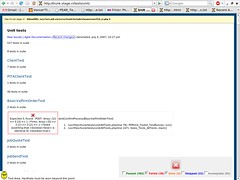
What you end up with is:
Our Tests

Here's the javascript, php, and css behind it. I'll leave it up to you to find nice icons.

<?php
$file = dirname(__FILE__) . '/results.js';
if (!file_exists($file)) {
die("No unit tests have been run?");
}
$json = file_get_contents($file);

//Ugh
$json = '[' . str_replace("}{", "},{", $json) . ']';

?>
<html>
<head>
<script src="/prototype.js"></script>
</head>
<body>
<style>
table {
border: 1px solid rgb(240, 240, 240);
}

.error {
border: 1px solid orange;
}

.fail {
border: 1px solid red;
}

.pass {
border: 1px solid green;
}

.cell {
width: 200px !important;
text-align: center;
padding: 0.5em;
}
.cell img {
display: block;
margin: auto;
}

h4 {
font-weight: normal !important;
font-style: italic;
}
</style>
<script type="text/javascript">
var total_passes = 0;
var total_failures = 0;
var total_errors = 0;
var total_skipped = 0;
var total_incomplete= 0;

function renderSuiteStart(item) {
var h2 = document.createElement("H2");
h2.appendChild(document.createTextNode(item.suite));

var p = document.createElement("p");
p.appendChild(document.createTextNode(item.tests + " tests in suite"));

var div = document.createElement("div");
var table = document.createElement("table");

div.id = item.suite;
table.id = item.suite + "_table";
table.className = '';

div.appendChild(h2);
div.appendChild(p);
div.appendChild(table);

$('main').appendChild(div);
}

function renderTest(item) {
var h3 = document.createElement("H3");
var h4 = document.createElement("H4");
h3.appendChild(document.createTextNode(item.test));

var p = document.createElement("p");
p.appendChild(document.createTextNode(item.time + " tests in suite"));

var tr = document.createElement("TR");
var th = document.createElement("TH");
var message = document.createElement("TD");
var detail = document.createElement("TD");
var time = document.createElement("TD");
var img = document.createElement("IMG");
var backtrace = document.createElement("OL");


time.appendChild(document.createTextNode(item.time));


img.alt = item.status;
message.className = item.status + " cell";

switch (item.status) {
case 'error':
if (item.message == "Skipped Test") {
message.className = "skipped cell";
total_skipped++;
} else if (item.message == "Incomplete Test") {
message.className = "incomplete cell";
total_incomplete++;
} else {
total_errors++;
}
img.src = '/presentation/common/img/emblem-important-small.gif';
break;
case 'fail':
total_failures++;
img.src = '/presentation/common/img/cross.gif';
break;
default:
total_passes++;
img.src = '/presentation/common/img/check.gif';
break;
}

item.trace.each(
function(trace) {
var li = document.createElement("LI");
var text = trace.file + "(line " + trace.line + "): " + trace.class + trace.type + trace.function + "()";
li.appendChild(document.createTextNode(text));

backtrace.appendChild(li);
}
);

h4.appendChild(document.createTextNode(item.test));
detail.appendChild(h4);
detail.appendChild(backtrace);

message.appendChild(img);
message.appendChild(document.createTextNode(item.message));
message.style.width = "300px";

tr.appendChild(message);
tr.appendChild(detail);


$(item.suite + "_table").appendChild(tr);
}

function renderResults() {
var data = $A(<?php print $json; ?>);

data.each(function(item) {
switch (item.event) {
case 'suiteStart':
renderSuiteStart(item);
break;
case 'test':
renderTest(item);
}
});

renderTOC();
}

function renderTOC() {
var fail = $A(document.getElementsByClassName('fail'));
var pass = $A(document.getElementsByClassName('pass'));
var error= $A(document.getElementsByClassName('error'));
var skipped= $A(document.getElementsByClassName('skipped'));
var incomplete= $A(document.getElementsByClassName('incomplete'));

var menu = document.createElement('p');
var checkbox_pass = document.createElement('input');
var checkbox_fail = document.createElement('input');
var checkbox_error = document.createElement('input');
var checkbox_skipped = document.createElement('input');
var checkbox_incomplete = document.createElement('input');

var label_pass = document.createElement('label');
var label_fail = document.createElement('label');
var label_error = document.createElement('label');
var label_skipped = document.createElement('label');
var label_incomplete = document.createElement('label');
var status_image;

menu.style.position = 'fixed';
menu.style.bottom = 0;
menu.style.right = "1.5em";
menu.style.backgroundColor = 'rgb(240, 240, 240)';
menu.style.padding = "1em;";
menu.style.fontWeight = 'bolder';

checkbox_pass.type = "checkbox";
checkbox_fail.type = "checkbox";
checkbox_error.type = "checkbox";
checkbox_skipped.type = "checkbox";
checkbox_incomplete.type = "checkbox";

checkbox_pass.checked = "checked";
checkbox_fail.checked = "checked";
checkbox_error.checked = "checked";
checkbox_skipped.checked = "checked";
checkbox_incomplete.checked = "checked";


checkbox_pass.onclick=function(){toggle(pass)};
checkbox_fail.onclick=function(){toggle(fail)};
checkbox_error.onclick=function(){toggle(error)};
checkbox_skipped.onclick=function(){toggle(skipped)};
checkbox_incomplete.onclick=function(){toggle(incomplete)};

label_pass.appendChild(checkbox_pass);
label_fail.appendChild(checkbox_fail);
label_error.appendChild(checkbox_error);
label_skipped.appendChild(checkbox_skipped);
label_incomplete.appendChild(checkbox_incomplete);

label_pass.appendChild(document.createTextNode("Passed (" + total_passes + ")"));
label_fail.appendChild(document.createTextNode("Failed (" + total_failures + ")"));
label_error.appendChild(document.createTextNode("Error (" + total_errors + ")"));
label_skipped.appendChild(document.createTextNode("Skipped (" + total_skipped + ")"));
label_incomplete.appendChild(document.createTextNode("Incomplete (" + total_incomplete + ")"));

label_pass.style.color = "green";
label_fail.style.color = "red";
label_error.style.color = "#FF6600";
label_skipped.style.color = "blue";
label_incomplete.style.color = "gray";

status_image = document.createElement("IMG");
status_image.style.display = "block";
status_image.style.margin = "auto";
if (total_failures > 0) {
status_image.src = "/presentation/common/img/emblem-unreadable.png";
} else {
status_image.src = "/presentation/common/img/compliance.png";
}
menu.appendChild(status_image);

menu.appendChild(label_pass);
menu.appendChild(label_fail);
menu.appendChild(label_error);
menu.appendChild(label_skipped);
menu.appendChild(label_incomplete);

checkbox_pass.onclick();
checkbox_pass.checked = "";

checkbox_skipped.onclick();
checkbox_skipped.checked = "";

checkbox_incomplete.onclick();
checkbox_incomplete.checked = "";

document.body.appendChild(menu);
}

function toggle(type) {
type.each(function(td) {
if (td.parentNode.style.display != 'none') {
td.parentNode.style.display = 'none';
} else {
td.parentNode.style.display = 'table-row';
}
});
}

function hide(type) {
type.each(function(td) {
td.parentNode.style.display = 'none';
});
}

function show(type) {
type.each(function(td) {
td.parentNode.style.display = 'table-row';
});
}

window.onload = renderResults;
</script>
<div id="main" class="contentbox">
<h1>Unit tests</h1>
<p><a href="results.txt">Raw results</a> | <a href="docs.html">Agile Documentation</a> | <a href="recent.php">Recent changes</a> | Generated: <?php print date("F j, Y, g:i a", filemtime($file)); ?> </p>
</div>
</body>
</html>