Monday, May 28, 2007
Want a Job? Solve this Puzzle!
If you want a job as a PHP 5 wrangler in Adelaide, solve this puzzle and send your submission to it@valex.com.au

Sunday, May 27, 2007
Nina Starr, Loxton Murder, Further Update
Updates: Everything about Nina Starr.
From the advertiser:
Not many other outlets are carrying the story, unfortunately.
ABC Regional has the most detail:
Google news has the latest on this story.
From the advertiser:
A MAN pleaded guilty yesterday to murdering Loxton woman Nina Starr, whose body was found in the River Murray last year.
James Hall, 20, of Malpas, in the Riverland, admitted in the Supreme Court he murdered the 53-year-old supermarket worker.
Ms Starr's body was found floating in the river by campers, near the Loxton Riverbank Caravan Park wearing only ankle socks.
Police investigating her death at the time described Ms Starr's killing as "particularly vicious".
Hall was remanded in custody for sentencing submissions, to be heard in June.
Not many other outlets are carrying the story, unfortunately.
ABC Regional has the most detail:
Man admits to Loxton murder
Friday, 25 May 2007. 12:09 (AEST)
A 20-year-old man from the South Australian Riverland has admitted that he brutally murdered a woman at Loxton.
James Hall has pleaded changed his plea to guilty in the Supreme Court on a charge of murdering 53-year-old Nina Starr.
The court heard that he used a 44 cm spanner to bash Ms Starr while she was out walking.
Her badly-beaten body was found floating in the River Murray in January last year.
Hall will receive an automatic life prison sentence for murder.
Justice Margaret Nyland will consider setting a non-parole term later.
Outside the court, Ms Starr's family expressed relief at the guilty plea but said it did little to ease the grief.
Google news has the latest on this story.
Saturday, May 26, 2007
assertSame() & phpunit
Take a look at enhancing assertSame() error messages for phpunit.
This is one of my most frequent gotchas, usually happening about once a fortnight. It drives me insane.
Basically, I do:
and get an error message telling me that null isn't the same as Catfish. That's perfectly good, except I haven't clicked that the bug is my typo, not in SomeComplicatedConvolutedClass::method()
What a pain!
This is one of my most frequent gotchas, usually happening about once a fortnight. It drives me insane.
Basically, I do:
$expected = "Catfish";
$actual   = SomeComplicatedConvolutedClass::method(); //returns "Catfish"
$this->assertSame($excepted, $actual);
and get an error message telling me that null isn't the same as Catfish. That's perfectly good, except I haven't clicked that the bug is my typo, not in SomeComplicatedConvolutedClass::method()
What a pain!
Wednesday, May 23, 2007

Mock Database objects, in pearweb
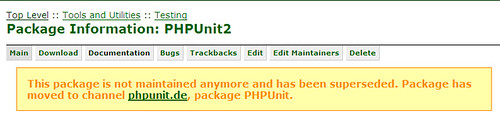
Some things to get you started. pearweb is a pear installable version of the pear website and package management tools.
It would be fair to say it's a little bit... old. However, there are signs of life in the old beast yet, with a slow but sure unit testing suite being built up.
I'm a phpunit junkie, but I haven't used half of the features in it. As betrand points out, there's a lot of complexity under the hood of phpunit.
It's probably for that reason that pearweb have rolled their own very simple unit testing framework. It provides all of your basics; assertTrue, assertFileExists, and what have you. It's called PEAR_PHPTest.
That isn't what I want to talk about, though. I want to talk about the implementation of mock database objects in pearweb, for unit testing purposes.
So: a unit test isn't a unit test if it relies on a database. At work, we usually don't care, and just expect a database to be there. pearweb is a little bit more strict.
So pearweb uses PEAR::DB, and to implement a mock database object, they have created a mock db driver.
To use it is pretty simple, if a little tedious. I'm sure some kind of code generator helper would save heaps of time here.
All you do is:
The first parameter is obviously the sql you are executing, the second is an array of result arrays, the third is the columns you expect in the result.
This means you can freeze the exact state of an object in the database, and run unit tests against it, without having to hit the database. Say bye bye to slow tests!
There are methods to simulate updating, inserting, and deleting too.
So what, you say. That's pretty pointless, you say. Well, not if you expect a sequence of database queries to happen, and happen exactly how you want them to.
For that, we have the queries property of a mock db object.
With a little bit of help from a code generator, there's a definite potential to never be in the dark about what queries were executed again.
Neat, hey. In order to bring some of this goodness to the rest of you, I've logged #11107: Add a PEAR::DB driver for mock objects and #11108: add a PEAR::MDB2 driver for mock objects.
Even if neither of those bugs get implemented, you can always grab the code from CVS
It would be fair to say it's a little bit... old. However, there are signs of life in the old beast yet, with a slow but sure unit testing suite being built up.
I'm a phpunit junkie, but I haven't used half of the features in it. As betrand points out, there's a lot of complexity under the hood of phpunit.
It's probably for that reason that pearweb have rolled their own very simple unit testing framework. It provides all of your basics; assertTrue, assertFileExists, and what have you. It's called PEAR_PHPTest.
That isn't what I want to talk about, though. I want to talk about the implementation of mock database objects in pearweb, for unit testing purposes.
So: a unit test isn't a unit test if it relies on a database. At work, we usually don't care, and just expect a database to be there. pearweb is a little bit more strict.
So pearweb uses PEAR::DB, and to implement a mock database object, they have created a mock db driver.
To use it is pretty simple, if a little tedious. I'm sure some kind of code generator helper would save heaps of time here.
All you do is:
$mock->addDataQuery("SELECT * FROM categories ORDER BY name",
  array(array('id' => 1,
        'parent' => null,
        'name' => 'test',
        'summary' => null,
        'description' => 'hi there',
        'npackages' => 0,
        'pkg_left' => 0,
        'pkg_right' => 0,
        'cat_left' => 1,
        'cat_right' => 2)),
  array('id', 'parent', 'name', 'summary', 'description', 'npackages', 'pkg_left',
        'pkg_right', 'cat_left', 'cat_right'));
The first parameter is obviously the sql you are executing, the second is an array of result arrays, the third is the columns you expect in the result.
This means you can freeze the exact state of an object in the database, and run unit tests against it, without having to hit the database. Say bye bye to slow tests!
There are methods to simulate updating, inserting, and deleting too.
$sql = "INSERT INTO notes (id,uid,nby,ntime,note) VALUES(%s,%s,'%s','%s','%s')";
$sql = sprintf($sql, $data['id'], $data['uid'], $data['nby'], $data['ntime'], $data['note']);
$mock->addInsertQuery($sql, array(), 1);
So what, you say. That's pretty pointless, you say. Well, not if you expect a sequence of database queries to happen, and happen exactly how you want them to.
For that, we have the queries property of a mock db object.
$db = DB::factory('mock');

$myObject = new MyObject();
$myObject->removeLosers();

$phpunit->assertTrue($db->queries ==
                        array("SELECT  id FROM losers",
                              "DELETE FROM users");
With a little bit of help from a code generator, there's a definite potential to never be in the dark about what queries were executed again.
Neat, hey. In order to bring some of this goodness to the rest of you, I've logged #11107: Add a PEAR::DB driver for mock objects and #11108: add a PEAR::MDB2 driver for mock objects.
Even if neither of those bugs get implemented, you can always grab the code from CVS
Friday, May 18, 2007
I hate beardy nerds
I want to sign pdfs with a digital signature from the linux command line, but instead I find beardy, sweaty nerds.
Help me, Lazyweb!
Help me, Lazyweb!
Thursday, May 17, 2007
Why isn't it so?
I hate hold music. It's always someone else who has decided what's going to play. Usually, it's an attempt not to frustrate callers on hold. Usually, all it does it make you more frustrated, because it's not your music.
So, I ask this simple question:
Why can't I press a button on my phone to switch the music I'm listening to? Or mute it?
So, I ask this simple question:
Why can't I press a button on my phone to switch the music I'm listening to? Or mute it?
Monday, May 14, 2007
How to build a route planner in 3 steps
- Learn about scriptaculous, and sortables
- Know that google maps allows you to input multiple to addresses
- Use a sortable list to quickly sort of a list of addresses into a route for your busy end users.
Here's the result.
<!DOCTYPE html PUBLIC "-//W3C//DTD XHTML 1.0 Transitional//EN"
       "http://www.w3.org/TR/xhtml1/DTD/xhtml1-transitional.dtd">
<html xmlns="http://www.w3.org/1999/xhtml" xml:lang="en" lang="en">
   <head>
       <title>Route planning example</title>
           <script src="http://script.aculo.us/prototype.js" type="text/javascript"></script>
           <script src="http://script.aculo.us/scriptaculous.js" type="text/javascript"></script>
           <style type="text/css">
               #routes {
                   cursor: pointer;
               }
           </style>
           <script type="text/javascript">
               function buildLink(ol) {
                   var items = $A(ol.getElementsByTagName('li'));
                   var url = 'http://maps.google.com/maps?q=';
                   var i = 0;

                   url += escape('from:');
                   items.each(function(item) {
                       if (i++ > 0) {
                           url += escape(' to:');
                       }
                       url += escape(item.textContent);
                   });

                   return url;
               }

               function updateLink() {
                   $('link').href = buildLink($('routes'));
               }
           </script>
   </head>
   <body>
       <h1>Planning my Routes</h1>
       <ol id="routes">
           <li>38 Fife St, Klemzig, South Australia</li>
           <li>132 Greenhill Rd, Unley, South Australia</li>
           <li>18 Stephen St, Mt Barker, South Australia</li>
           <li>19 Young St, Unley, South Australia</li>
       </ol>
       <a id="link" href="">Show routes</a>
       <script type="text/javascript">
       Sortable.create("routes", {onChange: updateLink});
       window.onload = updateLink;
       </script>
   </body>
</html>
If you were given a presorted list of your appointments over the day, this list lets you start doing them in less than a second.
Gripes about Gnome
I want to upload a file to flickr. My father has, for some strange reason, sent me huge files. I'm in Ubuntu right now.
- I go to gmail, and download the photos.
- Firefox prompts me to open or save. I open it with Eye of GNOME 2.18.1
- I can... zoom and unzoom. Hurray. This isn't what I want. How do I edit? Right click? The file menu? No, there's no way I can go from viewing to editing. This has been fixed in 2.19.1
- I minimize all of the windows (I still have to configure my preferences to let me windows key + d), and right click on the file. Open with, GIMP image editor
- I sort of fuddle my way through GIMP. I want to crop the image. I find it under the tools menu, after accidentally drawing black lines all over my photo. Why is the default tool a pen, not a selector?
- I hit ctrl shift x. This, in paint.NET, is the 'crop it' shortcut - it feels very natural. Instead, the GIMP asks me "Enter a name for this buffer", and name my 'cut'. WTF? If this is common enough to warrant a shortcut, why isn't it common enough to warrant some explanation or intuitive design!
- I try the help menus in GIMP to find a version number, while writing this. Apparently, I don't have gimp-help installed, so I can just get fucked. Thank you, default installation option. apt-get fixes it, but I'm still cranky.
- Do I even want to know what script-fu and python-fu are? No.
- I manage to do my cropping, and choose to save it. It started life as a JPG, I cut, I started a new image, I pasted. Surely, it would default to choosing a JPG? No. I try the file type picker, and hit the save button again. I've picked jpg. There's an annoying rendering bug in my way, too. I realise, after a moment, that all I've done is select a filetype filter, not what kind of image I'm trying to save. WTF.
- Finally, I get it - I must type the file extension, and save.
- I go back to flickr, and fight a file upload dialog. I have "type a location" on by default, but I look at the highlighted files. I try to type a filename, and it doesn't find it. I hit the down arrow, and manage to gain focus, after which I can type a filename. I can't do any of my windows tricks of wildcard matching - *.jpg for instance would be 8000 times more useful than the file type picker, which, in this particular dialog, shows me an option of "All files" and... "All Files". Why even let it render as a button I can click if all it's doing is showing me "All files".
- I try to type *.jpg, of course, and hit enter, only to have it try to upload /home/clockwerx/*.jpg
- I give up and try to use the mouse
- Success! I have made an upload. In 14 steps.
Open Source infringes on 235 Microsoft patents
Slashdot is all afire with the linux zeal.
From the article
in return, in the comments
Why shouldn't we tear the patent system down, Mr. Smith, why shouldn't we?
From the article
"The only real solution that [the free-software] folks have to offer," Smith says, "is that they first burn down the bridge, and then they burn down the patent system. That to me is not a goal that's likely to be achieved, and not a goal that should be achieved."
in return, in the comments
If patents are supposed to patent non-obvious ideas, then how do you explain the number of software patent violations when software developers don't look at patents?
Why shouldn't we tear the patent system down, Mr. Smith, why shouldn't we?
Developing PHP applications for the command line
So you have a problem. You've got your entire application neatly made, and you've glued it to a web interface. Unfortunately, what can be done by simply typing in a few details comes with a lot of overhead when you add in html - you have to render everything, output forms, do security so people don't get at your sensitive administration tools...
Ugh. Hard work, isn't it. Many of these things can be fixed with a good command line application. You can then rely on server-level permissions, you can quickly type, and you can set things up to run with cron jobs.
So what's out there on PHP in the command line? A few articles with Hello world? What if you want something more?
This is my solution - it's not for everyone and has its limitations.
CommandLineApplication.php
To use it, you simply extend it
main.php
and then, as needed, implement invididual commands
commands/invoice.php
Let's break this down into it's individual parts.
You run it as follows
First, this instantiates a new AccountingApplication
This then parses the arguments and dispatches them.
Argument parsing is done by Console_GetOpt. In your child class, you've defined
This assumes console_getopt will throw an exception - if you are using
Next, we dispatch. To do this, we iterate over the command line options.
If something has been entered, first we try to resolve the command name to a file - pretty much an
If we can't match anything - there are no special handlers - we just set it as an option for the application.
Finally, we've dispatched to the individual command. It's a good idea to enforce the 'command that does whatever you want' to be put at the end - ie,
In this case, we've made an invoice generator.
So what's next? Say you need to process user input. You can use the handy helper method
When it finds a match, it returns it into $result for you.
What else? Got an error? Output it to stderr.
Got a long wait? This is where Console_ProgressBar really helps you (from the pear examples for this package).
Got tabular information to display? Console_Table rocks here.
All in all, you've now got a pretty handy little kit for building quick command line applications.
Ugh. Hard work, isn't it. Many of these things can be fixed with a good command line application. You can then rely on server-level permissions, you can quickly type, and you can set things up to run with cron jobs.
So what's out there on PHP in the command line? A few articles with Hello world? What if you want something more?
This is my solution - it's not for everyone and has its limitations.
CommandLineApplication.php
<?php
require_once 'Console/Getopt.php';
require_once 'Console/Table.php';
require_once 'Console/ProgressBar.php';

/**
* A generic class for building command line applications on top of
*/
class CommandLineApplication {
protected $path;
protected $options;

private static $stdin;
private static $stdout;
private static $stderr;

public static function main(CommandLineApplication $application) {
    $options = $application->parseArguments();

    $application->dispatch($options);
}

public function defaults() {
    return array();
}

public function getConsoleOptions() {
    return array(array(), array());
}

public function parseArguments() {
    global $args;

    $con  = new Console_Getopt;
    $args = $con->readPHPArgv();

    list($shortOptions, $longOptions) = $this->getConsoleOptions();

    try {
        $lines = $con->getopt($args, $shortOptions, $longOptions);
    } catch (PearWrapperException $pwe) {
        die($pwe->ggetMessage());
    }


    $defaults = $this->defaults();

    $found = array();

    $options = $lines[0];

    foreach ($defaults as $key => $value) {
        foreach ($options as $option) {
            if ($option[0] == $key) {
                $found[$key] = true;
            }
        }
    }

    foreach ($defaults as $key => $value) {
        if (empty($found[$key])) {
            array_unshift($options, array($key, $value));
        }
    }

    $this->setOptions($options);

    return $this->getOptions();
}

public function setOption($name, $value) {
    $this->options[$name] = $value;
}
public function getOption($name) {
    return $this->options[$name];
}

public function className($name) {
    return sprintf('%s_Command_%s', get_class($this), $name);
}

public function resolveCommand($name) {
    return $name . ".php";
}

public function dispatch($options) {

    foreach ($options as $option) {
        $name = str_replace('--','',$option[0]);

        $file = $this->resolveCommand($name);
        if (file_exists($file)) {
            $class_name = $this->className($name);
            require_once $file;
            $class = new $class_name();
            $class->handle($option, $this);
        } else {
            $this->setOption($name, $option[1]);
        }
    }
}

public function setOptions($options) {
    $this->options = $options;
}

public function getOptions() {
    return $this->options;
}

/**
 * Singleton method to open an input stream.
 */
public static function inputStream() {
    if (!isset(self::$stdin)) {
        self::$stdin = fopen('php://stdin', 'r');
    }
    return self::$stdin;
}

public static function outputStream() {
    if (!isset(self::$stdout)) {
        self::$stdout = fopen('php://stdout', 'w+');

    }
    return self::$stdout;
}

public static function errorStream() {
    if (!isset(self::$stderr)) {
        self::$stderr = fopen('php://stderr', 'w+');
    }
    return self::$stderr;
}

public static function prompt($text) {
    $stdin = self::inputStream();
    $stdout = self::outputStream();


    $text .= "\n";
    if (PEAR_OS != 'Windows') {
        $text = Console_Color::convert("%g" . $text . "%n");
    }

    fwrite($stdout, $text);

    //[Yn]
    $pattern = '/\[(.*)\]/';
    $matches = array();
    if (preg_match($pattern, $text, $matches) == 0) {
        return null;
    }

    $choices = str_split(strtolower($matches[1]));
    while (($choice = fread($stdin,1)) !== FALSE) {
        if (in_array($choice, $choices)) {
            return $choice;
        } else {
            fwrite($stdout, $text);
        }
    }

    return null;
}
}
To use it, you simply extend it
main.php
<?php
require_once 'CommandLineApplication.php';

class AccountingApplication extends CommandLineApplication {

 public function getConsoleOptions() {
     $longOptions = array(
                           'help==',
                           'invoice',
                           'path=',
                           'type=',
                           'id=',
                           'start=',
                           'end=',
                           'valfirm=',
                           'client='
                         );

     $shortOptions = array();

     return array($shortOptions, $longOptions);
 }

 public function defaults() {
     $defaults = array();
     $defaults['--type'] = 'recipient';
     $defaults['--start']= '*';
     $defaults['--end']  = '*';
     $defaults['--valfirm'] = '*';

     return $defaults;
 }

 public function className($name) {
     return 'Accounting_Command_' . $name;
 }

 public function resolveCommand($name) {
     return dirname(__FILE__) . "/commands/" . $name . ".php";
 }
}

class AccountingException extends Exception {}

AccountingApplication::main(new AccountingApplication());
and then, as needed, implement invididual commands
commands/invoice.php
<?php
define('DATE_CALC_FORMAT', "%Y-%m-%d");

require_once 'Console/Table.php';
require_once 'Console/Color.php';
require_once 'Date/Calc.php';


class Accounting_Command_Invoice {
    public function handle($options, AccountingApplication &$application) {
        $start = $application->getOption('start');
        $end   = $application->getOption('end');

        if (empty($start)) {
            $start = strtotime(Date_Calc::beginOfPrevMonth());
        }

        if (empty($end)) {
            $end     = strtotime(Date_Calc::beginOfMonth());
        }

        $cl_id      = $application->getOption('client');
        $valfirm_id = $application->getOption('valfirm');


        if ($valfirm_id == '*') {
            $valfirm = new ValuationFirmOrganisation();
            $valfirm->setName('All valuation firms');
        } else {
            $valfirm = new ValuationFirmOrganisation();
        }

        $client = new ClientOrganisation($cl_id);

        $invoices = new RecipientInvoice();
        printf("Generating\n\tfrom\t%s\n\tto\t%s\n\tfor\t%s\n\tby\t%s\n\n", date("Y-m-d H:i:s", $start), date("Y-m-d H:i:s", $end), $client->getName(), $valfirm->getName());
        $paths = $invoices->generateInvoices($start, $end, $valfirm->getID(), $client->getID());

        if (empty($paths)) {
            print "No files generated\n";
        } else {
            print "Generated:\n";
            foreach ($paths as $path) {
                print "\t" . $path . "\n";
            }
        }
    }
}
Let's break this down into it's individual parts.
You run it as follows
php main.php --start=2007-01-12 --client=8 --invoiceFirst, this instantiates a new AccountingApplication
AccountingApplication::main(new AccountingApplication());This then parses the arguments and dispatches them.
public static function main(CommandLineApplication $application) {
    $options = $application->parseArguments();

    $application->dispatch($options);
}
Argument parsing is done by Console_GetOpt. In your child class, you've defined
getConsoleOptions() and defaults(). defaults() are the default arguments, and getConsoleOptions() is the available commands.This assumes console_getopt will throw an exception - if you are using
PEAR::isError(), you'll want to check the return value.
public function parseArguments() {
    global $args;

    $con  = new Console_Getopt;
    $args = $con->readPHPArgv();

    list($shortOptions, $longOptions) = $this->getConsoleOptions();

    try {
        $lines = $con->getopt($args, $shortOptions, $longOptions);
    } catch (Exception $e) {
        die($e->getMessage());
    }


    $defaults = $this->defaults();

    $found = array();

    $options = $lines[0];

    foreach ($defaults as $key => $value) {
        foreach ($options as $option) {
            if ($option[0] == $key) {
                $found[$key] = true;
            }
        }
    }

    foreach ($defaults as $key => $value) {
        if (empty($found[$key])) {
            array_unshift($options, array($key, $value));
        }
    }

    $this->setOptions($options);

    return $this->getOptions();
}
Next, we dispatch. To do this, we iterate over the command line options.
If something has been entered, first we try to resolve the command name to a file - pretty much an
__autoload(). This is resolveCommand().If we can't match anything - there are no special handlers - we just set it as an option for the application.
public function dispatch($options) {

    foreach ($options as $option) {
        $name = str_replace('--','',$option[0]);

        $file = $this->resolveCommand($name);
        if (file_exists($file)) {
            $class_name = $this->className($name);
            require_once $file;
            $class = new $class_name();
            $class->handle($option, $this);
        } else {
            $this->setOption($name, $option[1]);
        }
    }
}
Finally, we've dispatched to the individual command. It's a good idea to enforce the 'command that does whatever you want' to be put at the end - ie,
php main.php --option=value --action. This ensures that all options have been set before the guts of the application starts to work.In this case, we've made an invoice generator.
ValuationFirmOrganisation and ClientOrganisation are just models, more or less; and RecipientInvoices is a generator for the actual invoice files. Previously what is done in Accounting_Command_Invoice would have been tied to processing form information from a webpage, and executing the below code.
<?php
define('DATE_CALC_FORMAT', "%Y-%m-%d");

require_once 'Console/Table.php';
require_once 'Console/Color.php';
require_once 'Date/Calc.php';


class Accounting_Command_Invoice {
    public function handle($options, AccountingApplication &$application) {
        $start = $application->getOption('start');
        $end   = $application->getOption('end');

        if (empty($start)) {
            $start = strtotime(Date_Calc::beginOfPrevMonth());
        }

        if (empty($end)) {
            $end     = strtotime(Date_Calc::beginOfMonth());
        }

        $cl_id      = $application->getOption('client');
        $valfirm_id = $application->getOption('valfirm');


        if ($valfirm_id == '*') {
            $valfirm = new ValuationFirmOrganisation();
            $valfirm->setName('All valuation firms');
        } else {
            $valfirm = new ValuationFirmOrganisation();
        }

        $client = new ClientOrganisation($cl_id);

        $invoices = new RecipientInvoice();
        printf("Generating\n\tfrom\t%s\n\tto\t%s\n\tfor\t%s\n\tby\t%s\n\n", date("Y-m-d H:i:s", $start), date("Y-m-d H:i:s", $end), $client->getName(), $valfirm->getName());
        $paths = $invoices->generateInvoices($start, $end, $valfirm->getID(), $client->getID());

        if (empty($paths)) {
            print "No files generated\n";
        } else {
            print "Generated:\n";
            foreach ($paths as $path) {
                print "\t" . $path . "\n";
            }
        }
    }
}
So what's next? Say you need to process user input. You can use the handy helper method
CommandLineApplication::prompt(). You pass in a string, and in square brackets, you put in the 1 character options.
$result = CommandLineApplication::prompt("Do you want to continue? [yn]")
When it finds a match, it returns it into $result for you.
What else? Got an error? Output it to stderr.
$stderr = CommandLineApplication::errorStream();

fwrite($stderr, "An error occured!");
Got a long wait? This is where Console_ProgressBar really helps you (from the pear examples for this package).
require_once 'Console/ProgressBar.php';

print "This will display a very simple bar:\n";
$bar = new Console_ProgressBar('%bar%', '=', ' ', 76, 3);
for ($i = 0; $i <= 3; $i++) {
    $bar->update($i);
    sleep(1);
}
print "\n";
Got tabular information to display? Console_Table rocks here.
$stdout = CommandLineApplication::outputStream();

$data = array();
foreach ($clients as $id) {
    $client = new ClientOrganisation($id);
    $data[] = array(count($client->users), $client->getName());
}


$table = new Console_Table();
fwrite($stdout, $table->fromArray(array('Total users', 'Client'), $data));
All in all, you've now got a pretty handy little kit for building quick command line applications.
Friday, May 11, 2007
The Science of LOLCats
Start withBob DuChame, throw to BoingBoing, add a dash of semantic web / ontologies; and you've got the science of LOLcats.
Monday, May 07, 2007
Howto: import your allconsuming.net content to alexandria

So I have a problem right? Alexandria is a nifty little application for listing the books you have as a digital library. Allconsuming used to fill that niche, and I've invested a lot of time into it.
So, this should be easy, right? Web 2.0 should mean webservices are exploding out of every possible port... right?
Not so! The information that is there isn't very useful - not even the RSS feeds really allow you to get structured data out.
But there is a way, be it quick and dirty.
First, check you've got Alexandria
sudo -s apt-get install alexandria
Next, go to your Allconsuming javascript setup page. Make sure you've logged in.
You see the script tag mentioned there? Grab it, and change it.
My original one was:
http://allconsuming.net/person/CloCkWeRX/js/all/3
and I now change it to:
http://allconsuming.net/person/CloCkWeRX/completed_js/all/300
Next, I visit the url in my browser, firefox.
I choose to save the page somewhere - call it `export`. We don't care about this page, really, but about the images attached. All of these images (in a handy fashion) are stored as an ASIN, and a file extension. An ASIN is an amazon product code, which handily defaults to an ISBN for books.
Firefox will put this saved page somewhere, like ~/, so whip open a terminal.
Open export.txt in gedit or similar, and replace all of the '.jpg' with '', then save.
cd ~/export_files/
ls > export.txt
Finally, open up Alexandria, and choose 'import'. Select a type of 'isbn list', and navigate to ~/export_files/export.txt
Done! You'll get a few importing errors, no doubt, and Alexandria isn't the best to give you informative errors... but you've just got your library into your library manager.
Thursday, May 03, 2007
Bugs
PHP
Pidgin
- lookupPrefix, lookupNamespaceURI do not work as expected
- setAttributeNS has inconsistent behaviour when raising exceptions
Pidgin
Wednesday, May 02, 2007
Angry at the DOM
This is not a bug, it's a feature. This really frustrates me.
In short, the below code example demonstrates a huge inconsistency between uses of a particularly really poorly documented (in the areas you want to use, anyway) implementation of DOM level 3.
What the heck am I angry about? You can...
So to get it right all the time, you use the same qualified name prefix, right? 'xhtml:foo'.
So the best strategy to deal with this is:
... which is clunky and verbose.
Why doesn't the internals of DOMDocument either:
In short, the below code example demonstrates a huge inconsistency between uses of a particularly really poorly documented (in the areas you want to use, anyway) implementation of DOM level 3.
$d = new DOMDocument();
$example = $d->createElementNS('http://foo.com','example');
$example->setAttributeNS('http://bar.com', 'bar:bar',"value");
$example->setAttributeNS('http://bar.com', 'monkey',"value");

$d = new DOMDocument();
$example = $d->createElementNS('http://foo.com','example');
$example->setAttributeNS('http://fish.com', 'bar:bar',"value");
$example->setAttributeNS('http://bar.com', 'monkey',"value");
What the heck am I angry about? You can...
- $a->setAttribute('href', 'http://google.com');
- $a->getAttribute('href');
- $a->getAttributeNS('http://xml.com/xhtml74', 'href');
- $a->setAttributeNS('http://xml.com/xhtml74', 'href', 'http://google.com');
- $a->setAttributeNS('http://xml.com/xhtml74', 'xhtml:href', 'http://google.com');
- $a->setAttributeNS('http://xml.com/xhtml74', 'xhtml:href', 'http://google.com');
- $a->setAttributeNS('http://xml.com/xhtml74', 'href', 'http://google.com');
So to get it right all the time, you use the same qualified name prefix, right? 'xhtml:foo'.
- $a->setAttributeNS('http://xml.com/xhtml74', 'xhtml:href', 'http://google.com');
- $a->setAttributeNS('http://xml.com/xhtml74', 'xhtml:href', 'http://google.com');
- $a->setAttributeNS('http://xml.com/xhtml74', $a->lookupPrefix('http://xml.com/xhtml74') . ':href', 'http://google.com');
- $a->setAttributeNS('http://xml.com/xhtml74', $a->lookupPrefix('http://xml.com/xhtml74') . ':href', 'http://google.com');
So the best strategy to deal with this is:
determinePrefix($element, $namespace, $suggestedPrefix = null)
- Should check for the existence $namespace in $element
- If no $namespace prefix exists, register the namespace on the element
- If a $suggestedPrefix is defined, use that
- If a $namespace prefix is found, return that
... which is clunky and verbose.
Why doesn't the internals of DOMDocument either:
- Refuse at any time to let you add something without a qualified prefix, and give you methods to add such a prefix - registerNamespace(); adds (xmlns:fish="http://good.com"/)
- Or, let you add in all of the unqualified prefixes you like, and give them anonymous names; and if you later append the node to another document or whatever, resolve them then.
Tuesday, May 01, 2007
Pidgin - new release

Pidgin (formerly Gaim) just got a new release - beta 7. It's had a fairly impressive restyle by one of the Tango Project designers.
There's also presumably under the hood changes, but damned if I can see them. Take a look at the image to the left to see the kind of style we're talking about.
Planner
This is an application I really want to do. You get Gnome Planner, save the project XML somewhere web readable, and let PHP do the rest.
PHP would parse the XML and output it as iCalendar, allowing everyone else who wanted it to be able to view your information in Outlook 2007 or Thunderbird.
This also means you could mash up the calendar in your iCalendar client with output of trac or similar.
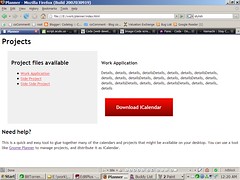
Depicted to the right is my mockup of a web application that sits on your local machine, and below is a screenshot of Planner itself.

PHP would parse the XML and output it as iCalendar, allowing everyone else who wanted it to be able to view your information in Outlook 2007 or Thunderbird.
This also means you could mash up the calendar in your iCalendar client with output of trac or similar.
Depicted to the right is my mockup of a web application that sits on your local machine, and below is a screenshot of Planner itself.
Subscribe to:
Posts (Atom)